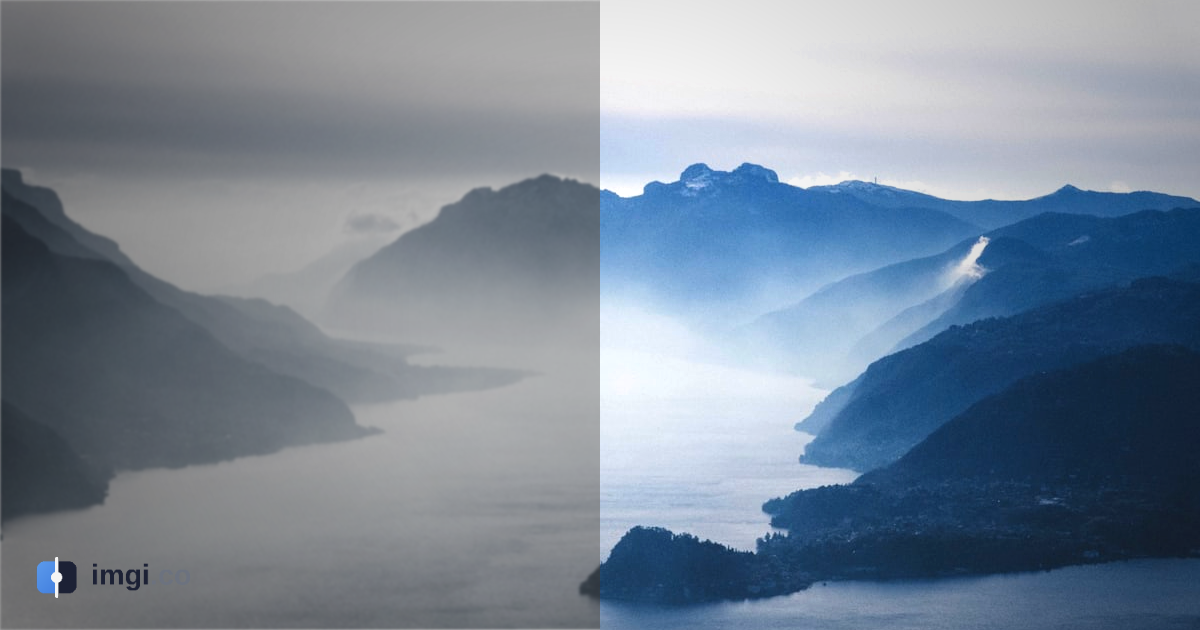
Open twenty Skyrim graphics threads and half of them are running the same argument: ENB or Community Shaders. For about a decade ENB was the answer if you wanted Skyrim to stop looking like 2011, and you paid for it in frames. Then Community Shaders turned up, free and built into the game through SKSE, and suddenly the terrain in people’s screenshots looked wet and layered without the usual tax on the framerate.
The trouble with any of this is that graphics mods are almost impossible to judge from a gallery. Ten glossy shots of someone else’s load order, shot in scenes you’ll never stand in, tell you nothing about what one addon does on your rig. So here is Community Shaders the only honest way: the same spot, vanilla on one side, the shader on the other, with a handle you drag.
What Community Shaders actually is
Community Shaders is a free, open-source rendering framework for Skyrim Special Edition and AE. Instead of bolting a whole new post-processing layer on top of the game the way ENB does, it works inside Skyrim’s own shaders through SKSE, fixing long-standing visual bugs and adding modern rendering techniques as optional plugins. You install the core, then pick the addons you want: terrain parallax, screen-space effects, water and grass upgrades, and so on.
Two things make it different from ENB in practice. It’s modular, so you take only the pieces you want and leave the rest. And it usually runs at or above vanilla framerates rather than costing you the chunk of performance ENB is known for. One thing to know before you start: it’s flatly incompatible with ENB running at the same time. Install both and Community Shaders shuts its own features off to stop the game crashing. You can’t run the two together, so you’re choosing one or the other from the start.
Terrain is where you see it first
The addons that pulled people over are the terrain ones, because vanilla Skyrim ground is where the age shows worst: flat, low-detail dirt that looks painted on. Community Shaders gives it actual depth.
Terrain parallax, through the Terrain Blending addon, makes the surface read as if it has real relief instead of a flat texture. Snow banks up, rocks sit down in the dirt instead of floating on top of it, and the seams where two ground textures meet stop looking like tile edges. Drag this one and watch the ground near the bottom of the frame:
Then there’s variation. Vanilla stamps the same ground texture over and over, so a hillside becomes an obvious repeating pattern the second you notice it, and you can’t un-notice it. Davo0411’s Terrain Variation addon breaks that up, so the same patch of grass or rock isn’t cloned identically across the whole slope:
Roads are the third piece, and a good example of Community Shaders making a separate mod look better than it manages alone. A mesh mod like Blended Roads reshapes the road so it sinks into the ground around it instead of riding on a raised strip. With terrain blending working underneath, the edges actually melt into the grass:
None of these really land in a still. You have to watch the ground change under the same shot, which is why a mod page full of glamour screenshots tends to undersell exactly this kind of work.
How to compare it fairly on your own game
If you’re testing Community Shaders yourself, a few habits keep the comparison honest, because it’s easy to talk yourself into a bigger difference than there is.
Shoot the same frame. Open the console, tfc 1 freezes the camera and time, tm hides the HUD. Take the vanilla shot, toggle the addon, shoot again without nudging the camera. A two-pixel drift between the frames reads as blur and wrecks the whole thing.
Lock the weather and the time of day. Terrain and lighting change completely between an overcast morning and a clear noon, so force one weather from the console and both shots share a sky. Otherwise your before and after is really just two different afternoons.
Save as PNG, not JPEG. Compression eats the fine detail these mods add, which means you’d be comparing away the exact thing you set out to show.
Then drop the two shots into imgi, drag the handle to check they line up, label the sides Vanilla and the addon’s name, and you’ve got a permanent link to paste on a mod page or in a thread. Free, no signup. If you want to show a whole terrain setup at once, an album holds a run of these behind a single link.
So, ENB or Community Shaders?
It depends on what you’re after, and the sliders above are only half the story. Community Shaders wins on performance, and it stays out of your way. Its terrain work is ahead of what most ENB presets bother with. ENB still holds the edge on heavy cinematic looks, deep shadows, and the specific preset aesthetics people have spent years dialing in. We covered that side in Skyrim ENB before and after, and the wider split in ENB vs ReShade.
What doesn’t change is how you decide. Not from a stranger’s screenshots, but from one scene flipped back and forth on your own hardware. Load the addon, shoot the pair, drag the handle. Whatever survives that is the one worth keeping.
Mods shown, and credit
Every mod in this post is free on Nexus. Thanks to the authors who built them and shot the comparisons:
- Terrain Blending - Community Shaders by doodlum
- Terrain Variation - Community Shaders by Davo0411
- Blended Roads by T4gtr34um3r
Cover photo by Fabrizio Conti on Unsplash.