Ask “ENB or ReShade?” in any modding community and you’ll get confident answers pointing in opposite directions. Both sides are usually right about the part they’re describing, because the two tools don’t compete on the same layer. ReShade repaints the finished frame, while ENB reaches into the renderer itself and changes how that frame gets made in the first place.
Once that difference is clear, most of the argument evaporates, and what’s left is a decision about your game, your GPU, and how much fiddling you enjoy.
ReShade: the last word on every frame
ReShade is crosire’s open source post-processing injector, and its superpower is reach: it hooks into the graphics API, so it works on a huge share of PC games regardless of engine. It receives the finished frame and runs shader effects on it. Color grading, tone mapping, sharpening, film grain, vignettes, and with depth buffer access, effects that fake dimensionality, ambient occlusion approximations, depth of field, fog.
The words “finished frame” carry the limits. ReShade can’t move a light source, can’t change what a material does when torchlight hits it, can’t make a shadow softer at its edges. It grades what the engine already rendered, like a colorist working on delivered footage. It’s also quick to try: install, pick a preset, toggle it with a key, and most effects cost little enough that mid-range machines run them happily. The heavy screen-space effects, ray-traced GI shaders and quality ambient occlusion, are the exception; those can eat frames like an ENB does.
Two caveats before you build a look around it. Depth-dependent effects need the game to expose a usable depth buffer, and not every game plays along. And anything with anticheat deserves caution, plenty of online games treat injectors as hostile, so check before you bring ReShade anywhere competitive.
ENB: hands inside the renderer
ENBSeries, Boris Vorontsov’s project, is a different animal. It ships as per-game binaries, and its deep integrations, the Skyrim and Fallout ones above all, don’t just post-process. They replace and extend parts of the rendering pipeline: how ambient light and image-space lighting behave, weather-dependent parameters that shift the whole look between clear noon and foggy dawn, complex parallax on surfaces, wet and reflective materials, particle lights so that a torch actually illuminates the dust around it.
That’s why a good Skyrim ENB preset changes the game in a way no amount of color grading can reach, and why the ENB comparison guide is its own article. It’s also why the cost is real: presets routinely eat a double-digit chunk of your framerate, and why ENB only exists where Boris built support, mostly Bethesda’s catalog plus a list of older titles. No per-game binary, no ENB, and that settles the choice for most games before quality enters into it.
The actual decision
For a game outside ENB’s support list, there is no decision. ReShade, done.
For Skyrim and friends, the question is what you’re unhappy with. If vanilla’s colors feel flat but the lighting itself is fine, a ReShade preset gets you 80% of the mood for a fraction of the frames. If your complaint is the lighting, interiors lit from nowhere, flat nights, torches that glow without illuminating, that’s renderer territory, and only ENB reaches it.
Cost scales with depth. On my side of the fence the pattern has been consistent: ReShade presets cost frames in the single digits unless they stack heavy AO or RT shaders, ENB presets start noticeable and go up from there. Your rig will disagree with someone else’s, which is the whole reason to test rather than adopt a stranger’s verdict.
And plenty of setups run both, ENB doing the lighting work underneath, ReShade adding grading and sharpening on top. Preset authors often design for exactly that pairing and say so on the mod page. Follow their install order notes; the two tools mostly coexist politely.
The third name that keeps coming up
Skyrim specifically has grown an alternative worth knowing before you commit either way: Community Shaders, an open-source project that rebuilds lighting and shader features outside the ENB ecosystem. Its whole pitch is modern rendering features at a friendlier performance cost, with development happening in the open rather than in one author’s binaries. Whether its current feature set covers what your preset needs changes month to month, so check its page rather than trusting an article, this one included. The point stands regardless: “ENB or ReShade” isn’t always the whole menu anymore.
Install and uninstall hygiene
Both tools live outside your mod manager, which surprises people used to one-click rollbacks.
ENB sits as files in the game folder itself, the binaries plus an enbseries folder and configs from whichever preset you chose. Swapping presets means swapping those files, and two presets half-overwriting each other produces looks nobody designed. Before experimenting, zip your current game-folder ENB files; thirty seconds now, an evening of confusion saved later. Ask me how I know.
ReShade is tidier: an installer per game, presets as portable ini files you can hot-swap in the overlay, and removal is deleting the injector dll and its configs. The presets themselves are so light you can keep five candidates in a folder and cycle them live.
Neither shows up in your load order, so when a screenshot thread asks “mods?”, remember the answer includes the thing your mod list doesn’t list.
Judge looks with your eyes, not adjectives
Preset pages describe themselves in words like cinematic, natural, immersive. Those words mean nothing across authors. What works is capturing the same scene with each candidate and dragging between the results.
Here’s what a ReShade-style transformation looks like in practice: Ultra Realistica, Tobkes’ ReShade preset for Assassin’s Creed Black Flag, shown as a six-scene before and after album. Grading, contrast, sharpening: the finished-frame layer doing everything it can do, in a game ENB never touched.
The test protocol for your own rig is short. Pick two scenes you actually play in, a bright exterior and a lit interior. Capture vanilla, ReShade preset, ENB preset, same spot, same weather, PNG (capture discipline here). Upload the set at imgi.co, where one comparison holds up to ten images with a dropdown, so vanilla vs ENB and ENB vs ReShade are two clicks apart in a single link. Note the framerate for each while you’re at it, because the slider shows what you’re buying and the FPS counter shows the price.
One thing neither stills nor this article can settle: motion. ENB effects like temporal adaptation and some depth-of-field behavior only exist across frames, and ReShade’s grain and sharpening read differently at 60fps than frozen. The slider narrows the field to what your eyes prefer; give the finalist an evening of actual play before you commit your save file to it.
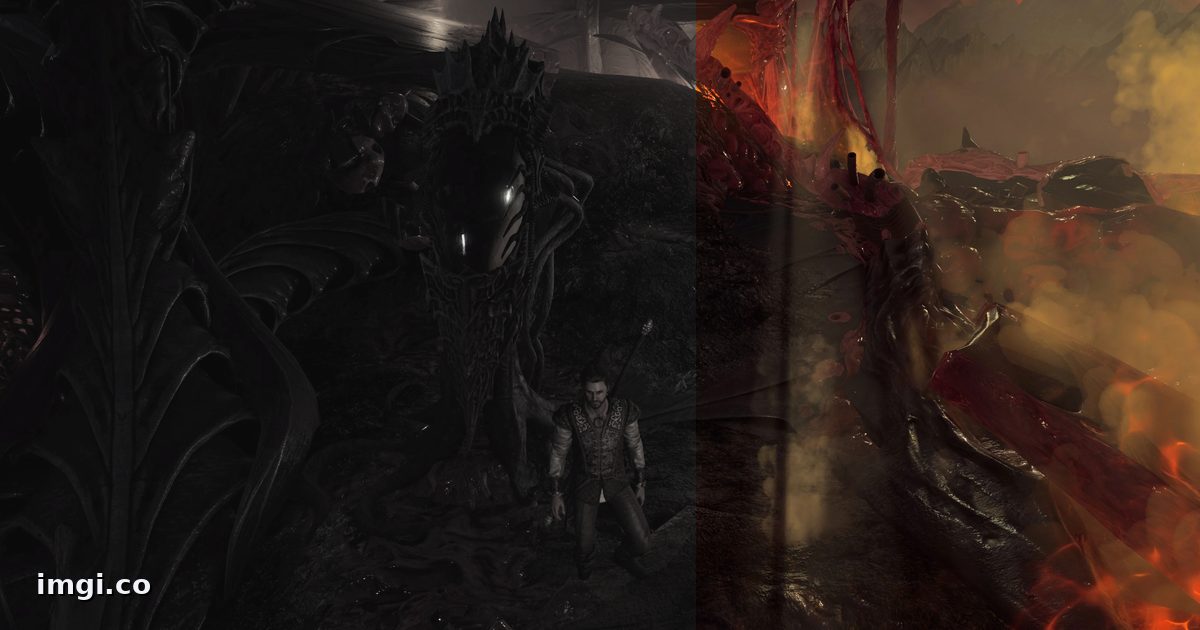
The linked album uses capture pairs from Ultra Realistica ReShade by Tobkes. The cover image is built from captures by lexo1000 for Immersive Character Lighting.