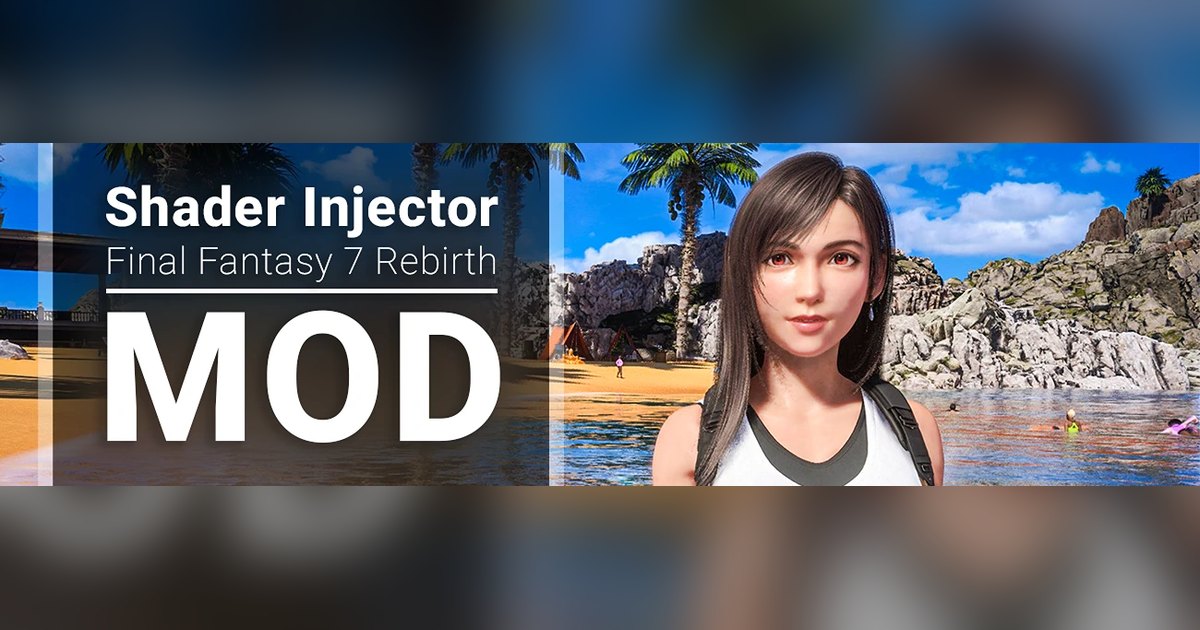
Final Fantasy VII Rebirth is a good-looking game that occasionally forgets to be. You’ll be walking through Costa del Sol or standing on some grassy overlook, the art direction doing all this work, and then you clock that a character’s feet aren’t quite sitting on the ground. They hover. A shadow that should be pooling right where a boot presses into the grass just isn’t there, so the figure reads as pasted onto the scene instead of standing in it. Once you notice it you can’t un-notice it.
That gap is what a mod called Shader Injector, by dddd5, goes after. It’s a Visuals mod on Nexus, and it hasn’t sat still. It showed up in late June as a tight little fix for this exact shadow problem, and by version 2.1.0, out on July 21st, it had grown into a much broader rendering overhaul. That pace is a big part of why people are talking about it right now. It also works in a more interesting way than the usual “drop a filter on top” mod.
What “shader injection” actually means
Quick version, no graphics degree required. A shader is a small program your GPU runs to decide what a pixel looks like: how light bounces off skin, how a shadow falls, how wet a rock reads. Rebirth ships with its own shaders baked in, and normally you can’t touch them.
Shader Injector is a DirectX 12 framework that sits between the game and your graphics card. It watches the rendering commands the game sends out, catches the ones it cares about, and swaps in modified shaders on the fly while the game runs. None of this rewrites anything on disk. The whole swap happens in memory, live, every frame, so the game keeps drawing away with dddd5’s shaders in place of its own.
The first version kept it simple: two reworked lighting shaders. One handles the Directional Light Pass (think the big light, the sun). The other handles the Local Light Pass (all the smaller sources, lamps, fires, the glow off a screen). Both rebuilt toward the same goal, in the author’s words, to “drastically improve the lighting/shadow quality of the game for a minimal performance hit.” That’s still the heart of the thing, and it’s the easiest part to just go look at. The 2.x updates piled a lot more on top, and I’ll get to that.
The three upgrades, in plain terms
Both shaders get the same three additions, and each one fixes a different flavor of “off.”
Contact shadows are the small, tight shadows right where two surfaces meet. Boot on grass, chair leg on floor, a strand of hair against a cheek. Base rendering tends to miss these tiny occlusions, which is exactly why things look like they float. Add contact shadows and everything gets glued back down to the world.
Micro shadows are a scale smaller. They’re the self-shadowing inside fine detail: the weave of fabric, the pores and creases on skin, the grain in a rock face, the individual blades in a clump of grass. You don’t consciously register any single one. Your eye just reads the surface as detailed instead of smooth and slightly plastic.
Then there’s the improved diffuse BRDF, which is the ugliest term on this page and the one you feel more than you see. BRDF is just the rule for how a matte surface scatters light. Rebirth’s default can leave skin and cloth looking a bit uniform, lit evenly across the whole surface. The reworked version gives a softer, more natural falloff from the lit side into shadow, so a face looks lit by an actual light in an actual spot rather than floodlit from everywhere at once.
Now go look at it
Here’s where words tap out. You can read “better contact shadows” all day and still not know whether that means anything to you. So drag these. Each slider is the same frame from the same spot, shader off on the left, shader on on the right. They’re hosted on imgi, a before and after comparison tool, so just grab the handle and pull.
Start with the loud one. Cloud and Aerith in a misty grotto, light coming down in shafts:
The light turns more directional here, those shafts firming up instead of reading as a flat haze. Then look at the bottom of the frame, where Cloud’s boots and Aerith’s dress hem meet the flowers. Off, they sit on top of the flower bed. On, they press into it, with shadow gathering underneath.
Interiors might surprise you more, though. This is inside the Costa del Sol villa, and the shader pulls real depth out of a flatly-lit room:
The whole space picks up the shadow falloff a room gets when light comes from windows on one side. The balustrade posts cast grounded shadows, and the patterned rug reads as a solid object on a solid floor instead of a texture painted onto it.
Not every scene changes this much. Here’s Tifa by the aqueduct, and this is the quiet end of it:
You have to hunt a little here. Slightly firmer shadowing on her face, a touch more definition in the skin and the leather, a bit more shadow depth in the background greenery. If someone told you these were the same shot, you’d probably believe them for a second. And that’s fine. A lighting mod that screamed on every frame would be a lighting mod you’d end up switching off. The seven shots in the full album run this whole range, some obvious, some you squint at.
It didn’t stop at shadows
The reason this thing is suddenly everywhere is the pace. In a few weeks dddd5 went from that two-shader lighting fix to a 2.0 “major update” in mid-July that bolted a whole rendering suite onto it: screen-space reflections, a couple of global-illumination passes, reworked water and ocean shaders, fog, and a post-process stage with new tonemapping and exposure controls. The original contact-shadow work got sharpened in the same update, with fixes aimed at cutting down the false shadows the old algorithm sometimes drew. Version 2.1.0 a few days later was mostly tuning: brightness and contrast fixes after players said some scenes came out too dark, plus more quality work on the reflections and the GI.
One caution, straight from the release notes. Some of the heaviest experimental pieces, the SSGI global illumination and the adaptive exposure, ship turned off by default, because they cost frames and can get noisy at higher resolutions. So what you install out of the box isn’t the mod running flat out. Flip everything on and you’ll pay for it.
Getting it running
The install used to be the fiddly part, and plenty of older guides still describe hand-assigning each shader inside the game’s Developer Settings menu. You don’t do that anymore. The 2.x builds find the shaders on their own, by hash and by bytecode analysis, so setup comes down to three moves. Delete the game’s shader cache first (a file tucked away in your My Games save folder). Drop two items, dsound.dll and the ShaderInjector folder, into the game’s Win64 directory. Then boot up and let the shaders finish compiling without skipping. The injector’s own menu appears within a few seconds to tell you it took. dddd5’s install guide walks the whole thing, and there’s a separate update guide worth reading when you move up a version, since older versions want a clean reinstall rather than a straight file overwrite.
Compatibility got better as it went. Early versions clashed with the Async Compile Mod, but 2.0 added support for running next to newer Async builds (0.6.2b and up), so that particular headache is mostly gone if you keep both current. Overlay and injector tools can still occasionally fight it, and 2.1.0 took specific swings at making peace with a few of them. Most cosmetic and texture mods are fine. If something misbehaves, read the mod page’s compatibility notes before you start tearing your load order apart.
The core lighting work is cheap, which is what made the mod worth trying back when that was the whole mod. The newer reflection and GI passes ask for more, and that’s exactly why the heaviest ones are off by default. If you’re already running Rebirth comfortably, the on-by-default setup shouldn’t cost you much. If you’re scraping by at the bottom of your settings, test it rather than take my word for it.
Who it’s for
If you play Rebirth on PC and you care how it looks, this is an easy recommendation, and the automatic setup means you don’t need to be a modding veteran to run it anymore. At its simplest it fixes that floaty, ungrounded quality to shadows and surfaces. In the current build it reaches a lot further, into reflections, water, and global lighting. Spend a while with it on and going back to vanilla looks a little bare. Never modded before? The install is short now: delete the cache, drop the files, let it compile.
Pull the sliders, then go grab it: Shader Injector by dddd5 on Nexus Mods. It’s open source, so the full project lives on GitHub if you want to poke at the shaders or the code behind them.